Handle an iPhone liquid-detection charging alert safely
Identify the Lightning or USB-C warning, dry the connector without heat or objects, and separate real moisture from a damaged cable.
Direct answer
The shortest reliable path.
Disconnect the cable from both the iPhone and its power source immediately. With the connector facing down, tap the iPhone gently against your hand, then leave it in a dry place with airflow. Apple says to wait at least 30 minutes before one cable test; if the alert returns, allow up to 24 hours. Do not use heat, compressed air, cotton swabs, paper, or rice. A Qi-certified wireless charger can be used only after the back of the iPhone is dry.
Official visual references
Match what you see before you act.
These visuals are tied to the cited support pages. Read each model scope and observation before using it as a match.
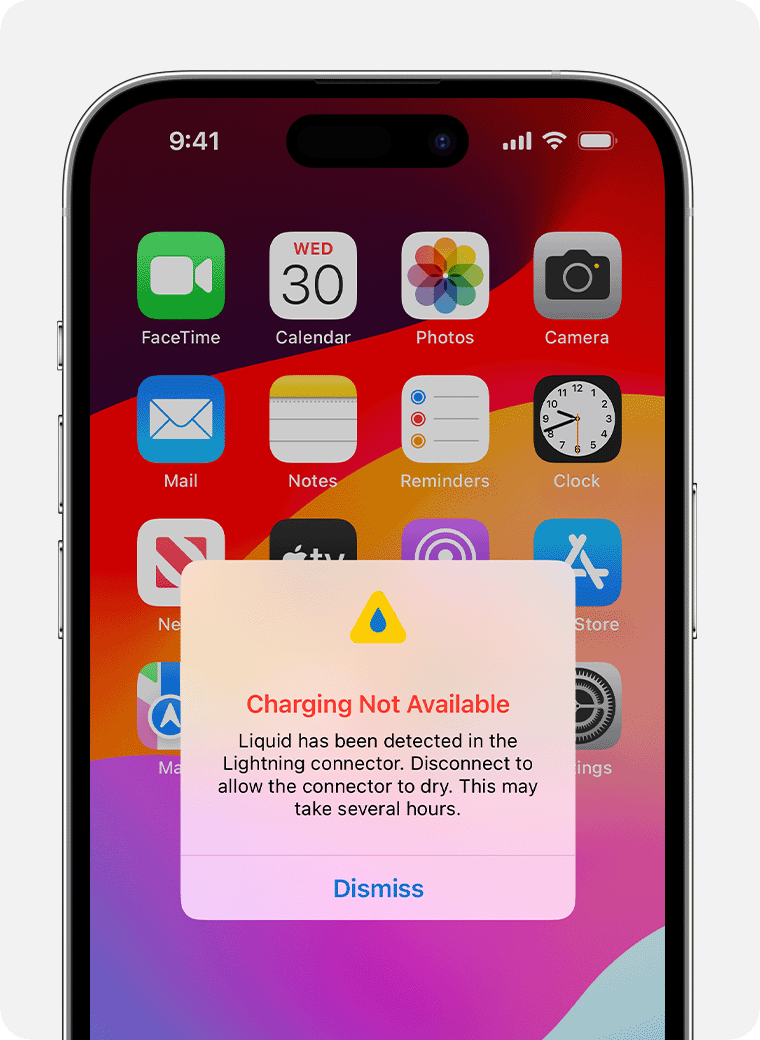
Lightning Charging Not Available alert
Apple’s Lightning example blocks normal charging and offers an emergency override that should not be treated as the routine fix.
- Look for
- Record this exact wording, disconnect the cable, and begin passive drying before trying another accessory.
- Applies to
- Supported Lightning iPhones that display Apple’s liquid-detection charging alert.
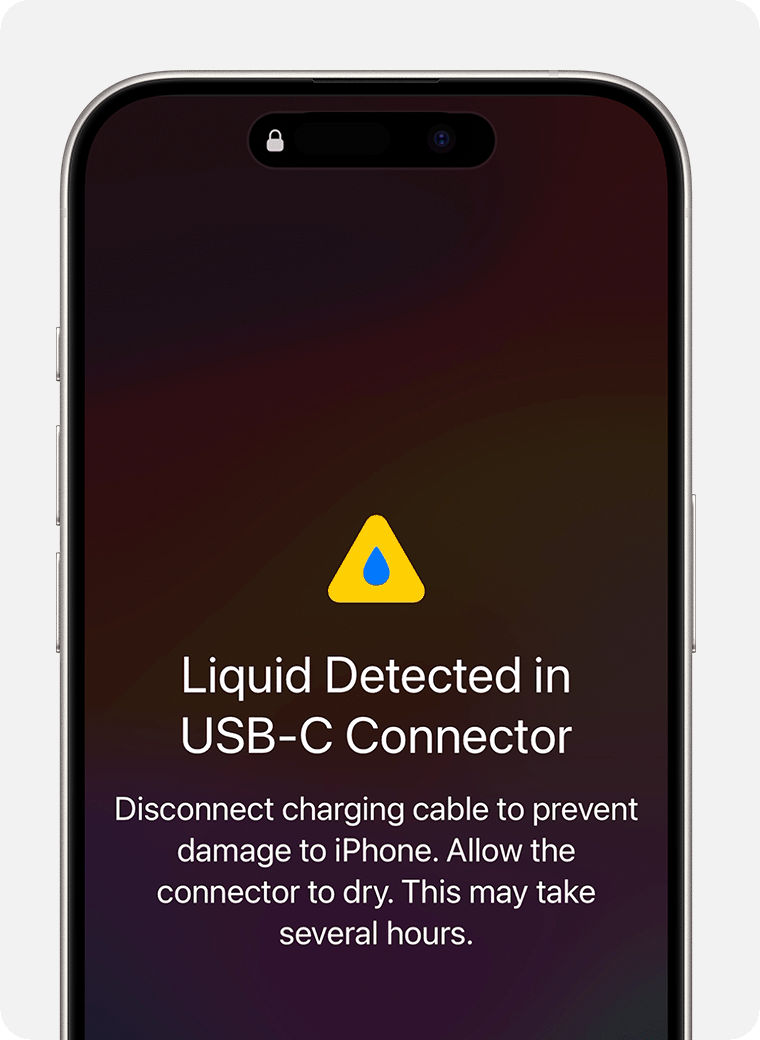
USB-C Liquid Detected alert
The USB-C wording explicitly tells the user to disconnect so the connector can dry before wired use resumes.
- Look for
- Treat the connector, both cable ends, and the attached accessory as part of the wet path.
- Applies to
- Supported USB-C iPhones displaying Apple’s USB-C liquid-detection warning.
System view
Check the whole path.
- 01Cable or accessory plug
- 02Lightning or USB-C connector
- 03iPhone liquid detection
- 04Charging or accessory lockout
- 05Drying and controlled retest
Scope before steps.
iPhone XS, XS Max, XR, and later models that display a Lightning, USB-C, Charging Not Available, or Liquid Detected alert.
Liquid-damaged internal components, cleaning a corroded connector, opening the iPhone, or promising that water resistance prevents damage.
Procedure
Do this in order.
- 01
Match the alert to the connector
Identify whether the screen reports Charging Not Available for Lightning or Liquid Detected in the USB-C connector or accessory path.
- 02
Remove excess liquid without inserting anything
Hold the connector downward and tap the iPhone gently against your hand. Place it in a dry area with airflow.
- 03
Wait before one controlled retest
After at least 30 minutes, connect a dry Apple or known-good cable once. If the alert returns, disconnect it and continue airflow drying for up to a day.
- 04
Separate the iPhone from one bad accessory
Once everything is dry, compare a second known-good cable. If only one cable or accessory triggers the alert, stop using that accessory and contact its manufacturer.
- 05
Escalate a persistent warning
If every dry Apple cable or accessory still triggers the alert after the drying period, arrange Apple service.
Diagnostic matrix
Read the result, not the guess.
| What you see | Check next | What it means |
|---|---|---|
| The warning clears after drying and wired charging resumes | Watch the first charging session for renewed warnings or unusual connector heat. | The protection released, but the initial moisture event should still be treated as real. |
| The warning returns after 30 minutes | Disconnect and continue passive airflow drying for up to 24 hours. | Moisture may remain inside the connector or beneath the cable pins. |
| Only one dry cable triggers the warning | Remove that cable or accessory from service. | The accessory is the stronger suspect than persistent moisture in the iPhone. |
| Every dry known-good accessory triggers the warning after a day | Contact Apple for inspection or service. | The supported self-service drying and cable-isolation path is exhausted. |
Stop conditions
Know when not to keep changing things.
- Do not use an external heat source or compressed air, and do not insert cotton, paper, or any object into the connector.
- Do not put the iPhone in rice; Apple warns that particles can damage it.
- Avoid Emergency Override unless wired charging is genuinely necessary; charging wet pins can cause corrosion and permanent damage.