
The useful differences
What changes when you use it
Start with the constraint you can see or feel: missing display capability, constant storage management, or a title-specific Pro benefit.
Best reason
Title-specific
Affects more sessions
Dependency
Screen reveals benefit
Compatibility first
What stays
Platform continuity
Avoid migration
Wrong reason
Check actual titles
Check actual constraint
Check the screen you already own
Record its exact HDMI inputs and supported resolution, refresh, HDR, and VRR modes for a console source.
A display that cannot show the output can hide a console upgrade.
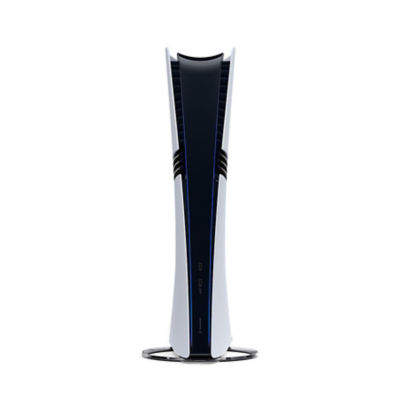
Console official product view
Official PlayStation product imagery identifies Console; it is not GearCurrent test evidence.
Use the image to identify the product family only. The decision below comes from the cited North American specification and support pages.
Model scope
United States PS5 owners deciding among PS5 Pro, a console-ready display, or compatible storage.
Count storage friction
For a week, note how often you delete, move, or redownload a game because internal space is tight.
Repeated storage management is a clear problem with a targeted fix.
Check your games for Pro support
Use PlayStation’s current enhanced-title information and the in-game modes you actually prefer.
PlayStation says enhancements vary by selected game.
Buy only the missing layer
Choose the console, display, or storage option that removes the measured constraint and keep the other working pieces.
One deliberate change is cheaper and easier to verify.
Make the choice
Choose the situation that sounds like yours
Display first.
Storage first.
PS5 Pro may be the meaningful upgrade.
Scope and limits
Before you apply this advice
This covers: United States PS5 owners deciding among PS5 Pro, a console-ready display, or compatible storage. Sources were independently re-opened on 2026-09-13.
This does not cover: Unsupported frame-rate guarantees, a universal best display, unofficial SSD compatibility, or measured image-quality claims. It also excludes prices, promotions, stock, unsupported Canadian differences, hands-on performance claims, and non-North-American models or policies.
- Do not buy an M.2 SSD until it meets PlayStation’s current published requirements.
- Do not promise a Pro visual mode in a game without title-specific support.
Sources
Where the facts come from
- 01PlayStationPlayStation 5 Pro (United States)
PlayStation United States page supports PS5 Pro PSSR, enhanced-game limits, 2TB storage, Wi-Fi 7 compatibility, and current console identity.
- 02LGLG UltraGear OLED 27GS95QE-B (official video)
LG USA official video supports the UltraGear OLED monitor identity and the 27GS95QE-B gaming-monitor context used in this system illustration.