
The useful differences
What changes when you use it
A panoramic capture mode is not the resolution of the reframed clip you share.
Distinct documented job
Check whether the mode changes your finished clip
Check the actual export you need
Mount reuse
Mount reuse does not imply battery reuse
Check the exact GoPro accessory, not only the brand
Before replacing
A capture upgrade will not clear an editing backlog
Keep working equipment if the bottleneck is later
Complete kit
Check paid app features separately
A bundle may include items the body purchase does not
Pick the clip before the capture mode
Write down the length, viewpoint, and destination of one video you need. A 360 recording lets you choose a view later, but you still have to choose it. The panorama’s capture resolution is not automatically the resolution of a narrow reframed export. If a fixed action-camera view already tells the story, keep that simpler route.
X6 lists 8K at 50 fps and InstaFrame 2.0 for ready-to-share flat clips. Those are reasons to inspect the workflow, not proof of better detail than MAX2. Use a representative file and the exact export settings you plan to publish.
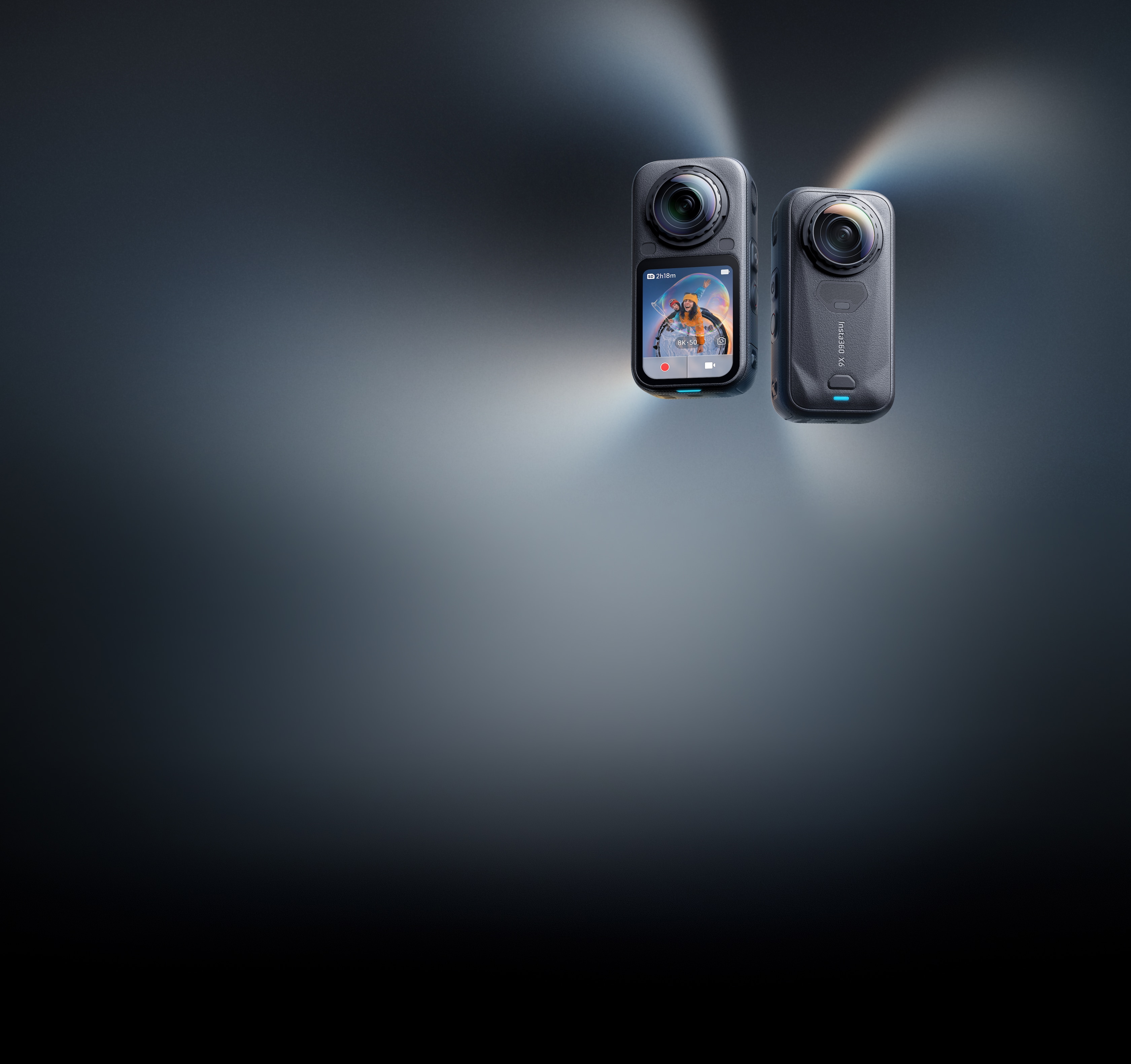
Insta360 X6 product reference
Check the product shape before comparing its capabilities.
The official reference identifies the product, not a measured result or a promise of accessory compatibility.
Model scope
United States creators comparing current Insta360 X6 and GoPro MAX2 documentation. DJI Osmo 360 II is an announced candidate with confirmed base Mimo support but unresolved US purchase and model-specific service conditions; no image-quality ranking is made.
Reuse only the accessories the new model supports
X6 lists magnetic mount compatibility with X5, X4 Air, and Ace-series cameras. MAX2 has GoPro mounting fingers and a 1/4-20 thread. Check every existing mount against the new camera and the activity. Do not extend a mount-compatibility statement to batteries, lens guards, housings, or chargers.
Make three lists: keep, replace, and add. Include lens protection, power, card, transfer, and the editing route. Read the selected MAX2 bundle rather than assuming all purchases include the spare battery, pole, or card shown in another bundle.
Finish a sample before changing ecosystems
Move a representative clip to the phone or computer you actually use. Reframe it, export it, and put it in a draft of the final video. GoPro documents Quik reframing for MAX2. For X6, check the current app or Studio feature required by your mode; its 16K timelapse is a Studio feature, and some app tools require a subscription.
The sample should answer a purchase question: can you get the needed frame, quality, and handoff without a new editing obstacle? If files already pile up unedited, fix that route before buying another camera. We have not timed exports or tested either app on your hardware.
Keep Osmo 360 II on the waiting list, not the checkout list
DJI’s announcement introduces 8K60, replaceable lenses, and subject tracking. Its US software list includes Osmo 360 II under Mimo. US purchase and model-specific service terms remain unverified. Original Osmo owners can compare the changes in the linked upgrade brief; first-time buyers should not assume a global announcement settles their US order.
Wait until the exact US product, service, bundle, and desired editing mode can be checked. Base app compatibility does not prove every new feature works on your phone. Do not substitute another region’s offer for a US purchase check.
Make the choice
Choose the situation that sounds like yours
Improve the workflow first.
Brand compatibility is not system compatibility.
Hold while those conditions remain unresolved.
Scope and limits
Before you apply this advice
This covers: United States creators comparing current Insta360 X6 and GoPro MAX2 documentation. DJI Osmo 360 II is an announced candidate with confirmed base Mimo support but unresolved US purchase and model-specific service conditions; no image-quality ranking is made.
This does not cover: Canada and other-region hardware SKUs, menu translations, carrier rules, warranty and support policies, prices, and availability not supported by these United States sources. No GearCurrent hands-on, durability, accuracy, image-quality, or battery tests were performed.
- Do not claim a reframed export has the full panorama’s resolution.
- Do not infer image quality from sensor or resolution claims.
- AI interpolation is not recorded high-frame-rate capture.
- Do not recommend an unresolved US purchase route.
Sources
Where the facts come from
- 01Insta360Insta360 X6
Current capture modes, InstaFrame 2.0, magnetic mount compatibility, Studio timelapse and paid app feature boundaries. Re-opened 2026-09-15.
- 02Insta360 ManualX6 shooting specifications
Model-specific resolutions and frame rates; does not establish reframed output quality. Re-opened 2026-09-15.
- 03GoProMAX2 United States product page
Product identity, mounts, Quik reframing, and selected bundle contents. Re-opened 2026-09-15.
- 04DJIOsmo 360 II announcement
Announced hardware and software features only; not a verified US sale or tested editing result. Re-opened 2026-09-15.
- 05DJI SupportCompatible Apps and Download — United States
US English support list includes both Osmo 360 II and Osmo 360 under Mimo. It does not establish every new mode or a US retail offer. Re-opened 2026-09-16.