
The useful differences
What changes when you use it
Processor numbers matter, but launchers, sleep, updates, controls, docks, and game compatibility shape every session.
System
Handheld-focused
Desktop flexibility
Library path
Check unsupported games
More account upkeep
Docking
Check display and power
Check each port
Maintenance
Fewer layers
More control and work
Audit the ten games you will play
Check each game, launcher, anti-cheat requirement, and save location against the exact platform.
A handheld is valuable only when it runs your real library.
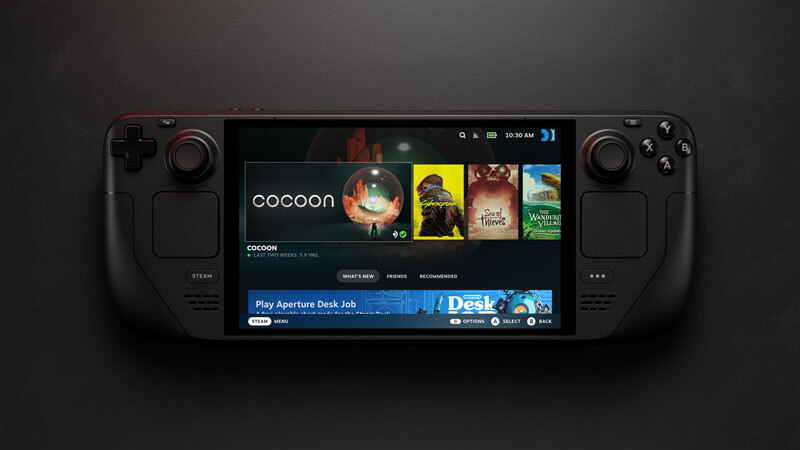
Steam Deck OLED official product view
Official Valve product imagery identifies Steam Deck OLED; it is not GearCurrent test evidence.
Use the image to identify the product family only. The decision below comes from the cited North American specification and support pages.
Model scope
United States shoppers comparing current Steam Deck OLED with a Windows handheld such as ROG Ally X 2024.
Choose the operating-system workload
Decide whether you want SteamOS focus or Windows access with its updates, drivers, desktop prompts, and vendor control app.
This difference appears more often than a peak specification.
Map dock, display, and charging needs
List external displays, controllers, storage, charger wattage, and every cable you plan to reuse.
Portable becomes expensive when the desktop setup must be rebuilt.
Compare battery in your workload
Read manufacturer battery capacity and test notes, then judge against the games and power limits you expect to use.
Battery claims are not directly comparable without conditions.
Make the choice
Choose the situation that sounds like yours
Steam Deck offers the simpler setup.
Windows handheld fits better.
The dock is part of the purchase.
Scope and limits
Before you apply this advice
This covers: United States shoppers comparing current Steam Deck OLED with a Windows handheld such as ROG Ally X 2024. Sources were independently re-opened on 2026-09-13.
This does not cover: Original benchmark results, every Windows handheld, every game’s compatibility, or current sale pricing. It also excludes prices, promotions, stock, unsupported Canadian differences, hands-on performance claims, and non-North-American models or policies.
- Do not claim a game works from storefront availability alone.
- Do not compare battery claims without conditions.
Sources
Where the facts come from
- 01ValveSteam Deck (United States)
Valve Steam Deck page supports SteamOS, Steam library integration, OLED-model display, storage, controls, and dock context.
- 02ASUS ROGROG Ally X 2024 (United States)
ASUS ROG United States page supports Windows 11, Armoury Crate, dual USB-C ports, 80Wh battery, memory, and storage claims for Ally X 2024.