
The useful differences
What changes when you use it
The two Apple TV 4K boxes share the same processor and core video features. Pay for the 128GB model when you need its physical Ethernet port or want this Apple TV to act as a Thread border router.
Storage
Enough for typical streaming apps
More room for apps and games
Wired network
Depends on Wi-Fi
Connect directly to the router
Thread support
Use another Thread hub
Can support Thread accessories
Model check
64GB Wi-Fi model
128GB Ethernet model
Name the two current Apple TV 4K SKUs exactly
On Apple’s Apple TV 4K product page, open the “Which Apple TV 4K is right for you?” compare block. Record Wi‑Fi (64GB) versus Wi‑Fi and Ethernet (128GB). Apple Support’s Identify your Apple TV model page maps Wi‑Fi to model A2737 and Wi‑Fi + Ethernet to A2843.
Buying language that only says “Apple TV 4K” erases the Thread and Ethernet split Apple documents between these two SKUs.
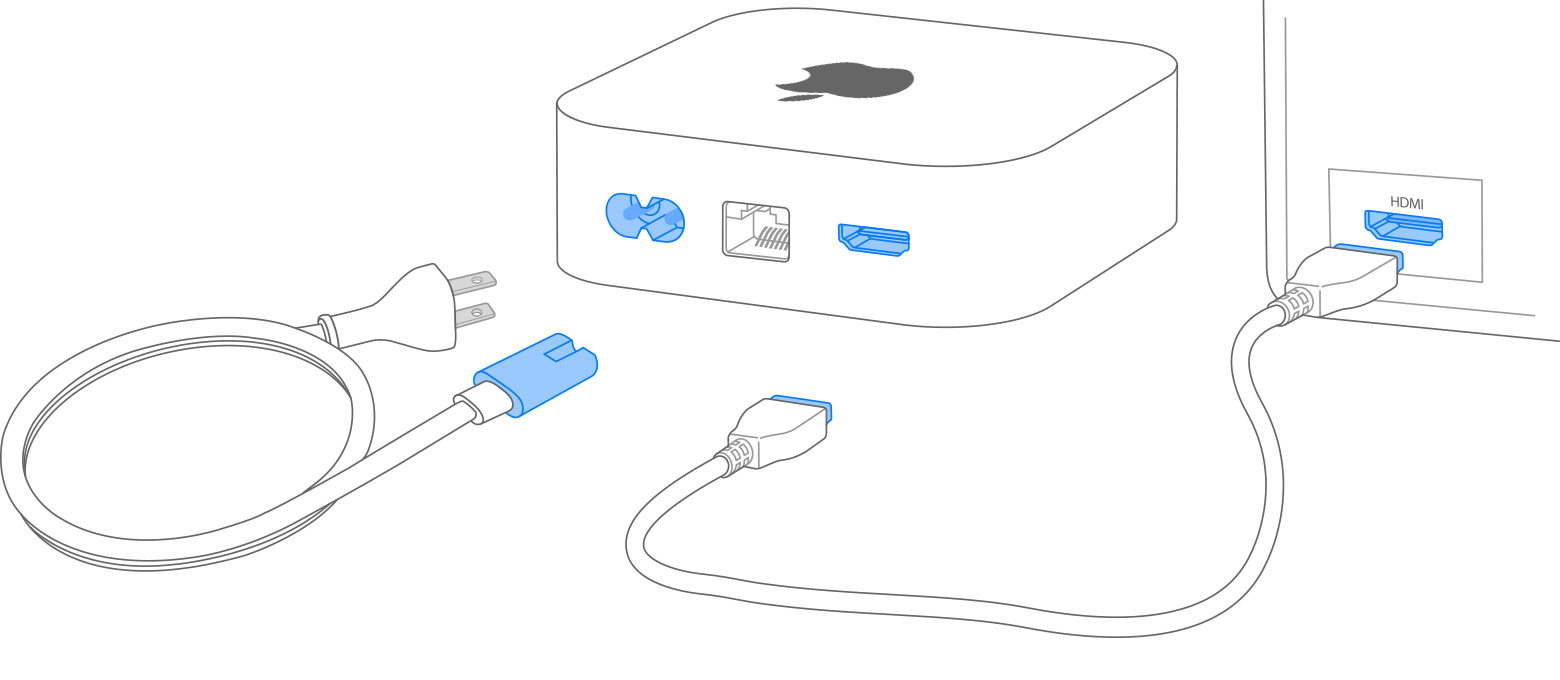
Apple TV 4K setup annotation still
Official Apple Support Apple TV 4K setup still identifies the compact set-top chassis used for both current SKUs. It does not show Thread or Ethernet performance.
Use the still only to confirm you are looking at an Apple TV 4K set-top form factor before reading the Wi‑Fi versus Wi‑Fi + Ethernet compare rows.
Model scope
Apple TV 4K identification in the United States and Canada from Apple Support artwork.
Read Thread as a Wi‑Fi + Ethernet exclusive
Apple’s product compare marks Thread networking support as not available on Wi‑Fi and available on Wi‑Fi + Ethernet. Apple’s Thread Border Router Required article lists Apple TV 4K (3rd gen Wi‑Fi + Ethernet)—not the Wi‑Fi-only 3rd gen SKU—among Thread-enabled Apple home hubs.
Thread border-router duty is a published SKU difference, not an optional software toggle on the 64GB Wi‑Fi box.
Read Gigabit Ethernet as the same SKU exclusive
Apple’s Apple TV 4K tech specs list Gigabit Ethernet only under the Wi‑Fi + Ethernet model, and the product compare block marks Gigabit Ethernet as not available on the Wi‑Fi model. Plan a wired connection only if you select the Ethernet SKU.
A missing rear Ethernet jack cannot be added later on the Wi‑Fi-only chassis Apple publishes.

Apple TV 4K product meta still
Official Apple Apple TV 4K product still for model identification. It does not demonstrate Gigabit Ethernet throughput or Thread mesh behavior.
Match the black Apple TV 4K enclosure to the SKU you intend to buy, then confirm Ethernet presence on the Wi‑Fi + Ethernet tech-specs row.
Model scope
Apple TV 4K (3rd generation) product identification from Apple’s United States product meta image.
Keep shared 4K, Wi‑Fi 6, and A15 rows out of the decision
Both SKUs list 4K screen resolution, Wi‑Fi 6 (802.11ax) with 2x2 MIMO, Bluetooth 5.0, HDMI 2.1, A15 Bionic, and the USB‑C Siri Remote on Apple’s specs and product pages. Do not invent a picture-quality gap from those shared rows.
Shared baseline features are not selection criteria between these two configurations.
What still depends on your situation
Match storage to the same SKU split
Apple lists 64GB with the Wi‑Fi model and 128GB with the Wi‑Fi + Ethernet model. If you need the larger published capacity, you are also choosing Thread and Ethernet; if you only need Wi‑Fi streaming without Thread, the 64GB Wi‑Fi SKU is the published match.
Capacity is not an independent Apple Store toggle on current Apple TV 4K (3rd generation) pages.
Close on hub needs versus cable needs
Choose Wi‑Fi + Ethernet when Thread border-router duty or a Gigabit Ethernet drop is needed. Choose Wi‑Fi when Apple’s “Thread not available” and “Ethernet not available” rows are acceptable and 64GB storage matches the install.
The decision axes Apple publishes are Thread, Ethernet, and the tied storage capacities—not an overall score.
Make the choice
Choose the situation that sounds like yours
Thread hub capability follows the Ethernet SKU Apple lists, not the Wi‑Fi-only twin.
The rear Gigabit Ethernet jack exists only on the published Ethernet SKU.
Shared 4K/Wi‑Fi 6/A15 rows do not force the Ethernet SKU.
Storage and networking extras travel together on Apple’s current compare table.
Scope and limits
Before you apply this advice
This covers: United States and Canada shoppers choosing between Apple TV 4K (3rd generation) Wi‑Fi (64GB) and Wi‑Fi + Ethernet (128GB, Thread) using Apple’s United States and Canada Apple TV 4K product, tech specs, and Identify your Apple TV model pages.
This does not cover: Apple TV HD; Apple TV 4K (1st or 2nd generation) as the compared SKUs; hands-on streaming quality or Wi‑Fi reliability rankings; Canadian, United Kingdom, European Union, Australia, Japan, or other-region menu translations, warranty phones, prices, or availability beyond the cited Apple United States and Canada pages.
- Do not invent streaming bitrate, Wi‑Fi reliability, or app-performance differences Apple does not publish between these two SKUs.
- Do not assume the Wi‑Fi-only 3rd generation model can become a Thread border router through a software setting.
- Do not treat Canadian pricing, warranty phones, or promotions as identical to United States Apple Store figures without checking the Canada page you cite.
- Do not apply this split to Apple TV HD or to 1st/2nd generation Apple TV 4K without reopening those model rows.
Sources
Where the facts come from
- 01AppleApple TV 4K
United States product page compare block for Wi‑Fi (64GB, Thread not available, Gigabit Ethernet not available) versus Wi‑Fi and Ethernet (128GB, Thread, Gigabit Ethernet), shared A15 and Siri Remote rows. Independently re-opened 2026-09-03.
- 02AppleApple TV 4K - Technical Specifications
United States tech specs for 64GB Wi‑Fi versus 128GB Wi‑Fi + Ethernet capacity, Wi‑Fi 6, Thread on the Ethernet model only, Gigabit Ethernet, HDMI 2.1, and A15 Bionic. Independently re-opened 2026-09-03.
- 03Apple SupportIdentify your Apple TV model
Maps Apple TV 4K (3rd generation) Wi‑Fi to A2737 / 64GB without Thread or Ethernet, and Wi‑Fi + Ethernet to A2843 / 128GB with Thread and Gigabit Ethernet. Independently re-opened 2026-09-03.
- 04Apple SupportThread Border Router Required
Lists Thread-enabled Apple devices including Apple TV 4K (3rd gen Wi‑Fi + Ethernet) among home hubs that support Thread accessories. Independently re-opened 2026-09-03.
- 05AppleApple TV 4K (Canada)
Canada Apple TV 4K product page confirming the same Wi‑Fi versus Wi‑Fi + Ethernet configuration framing for Canadian shoppers. Independently re-opened 2026-09-03.
- 06Apple SupportApple TV 4K setup annotation still (CDN asset)
Official Apple Support CDN still used only for Apple TV 4K chassis identification on this buying page; it does not document Thread or Ethernet performance. Independently re-opened 2026-09-03.