Start with what you see
Let the result choose the next step
Other devices also cannot use the network
Contact the internet provider. Do not factory-reset the Roku for an upstream outage.
The failure is not unique to the streaming player.The code is 14.40, 14.41, 14, or 014
Re-enter the password for the exact Wi-Fi name. Check capitalization before trying again.
Roku classifies those codes as a wrong password.The code is 14.20, 14.62, 14.64, 016, or 017
Move the Roku and router closer, remove cabinet or TV-back obstructions, then run Check connection again.
Roku classifies these as weak Wi-Fi signal errors.The code is 012 or 013
Unplug the Ethernet cable for 10 seconds, reconnect it, then try another cable or Wi-Fi.
Roku classifies these as Ethernet cable errors.The code is 018
Improve the connection to the router, then restart the modem and router with the network owner’s approval.
Roku classifies 018 as slow internet.
Step 1
Start with the failed check
Open Settings > Network > Check connection. During setup, note the complete error code or the red X after “Checking wireless connection.” Do not clear the saved network yet.
The first failed item tells you whether the Roku cannot join Wi-Fi or joined Wi-Fi but cannot reach the internet.
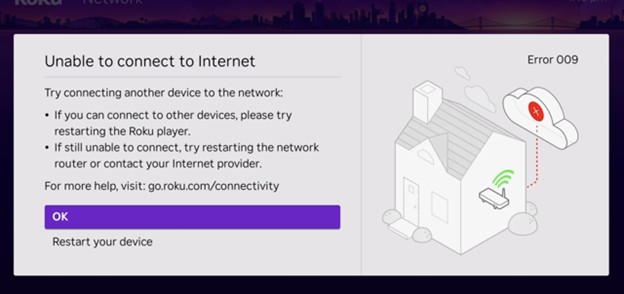
Roku wireless connection failure
Roku’s connection-test still shows the failed wireless result. A red X here means the player did not reach the router, which is not the same as a working Wi-Fi join with no internet.
If this message appears, open Set up connection and follow the password or placement steps instead of repeating an app restart.
Model scope
Roku streaming players and Roku TV systems running the current connection test in the cited United States and Canada articles.
Step 2
Follow the error code, not a generic reset
For 14.40, 14.41, 14, or 014, re-enter the verified password. For 14.20, 14.62, 14.64, 016, or 017, work on signal strength. For 012 or 013, reseat the Ethernet cable, wait 10 seconds, and try another cable or Wi-Fi. For 018, improve the connection and restart the modem and router. Error 003 belongs to the software-update process.
Roku assigns a different next action to password, signal, Ethernet, slow-internet, and update errors.
Step 3
Check the same network on another device
Connect a phone, tablet, or laptop to the same Wi-Fi. If it also has no internet, stop changing the Roku and contact the internet provider. If it works, continue with the Roku steps below.
This prevents a home-internet outage from being mistaken for a problem inside the Roku.
Step 4
Restart the Roku, then the network equipment
Open Settings > System > Power > System Restart. If that menu is unavailable, unplug the Roku for 10 seconds and reconnect it. With the network owner’s approval, unplug the router and modem, or the single gateway, for 10 seconds. Restore power and wait for the network to finish starting before trying again.
This follows Roku’s restart sequence without erasing accounts, apps, or the saved connection.
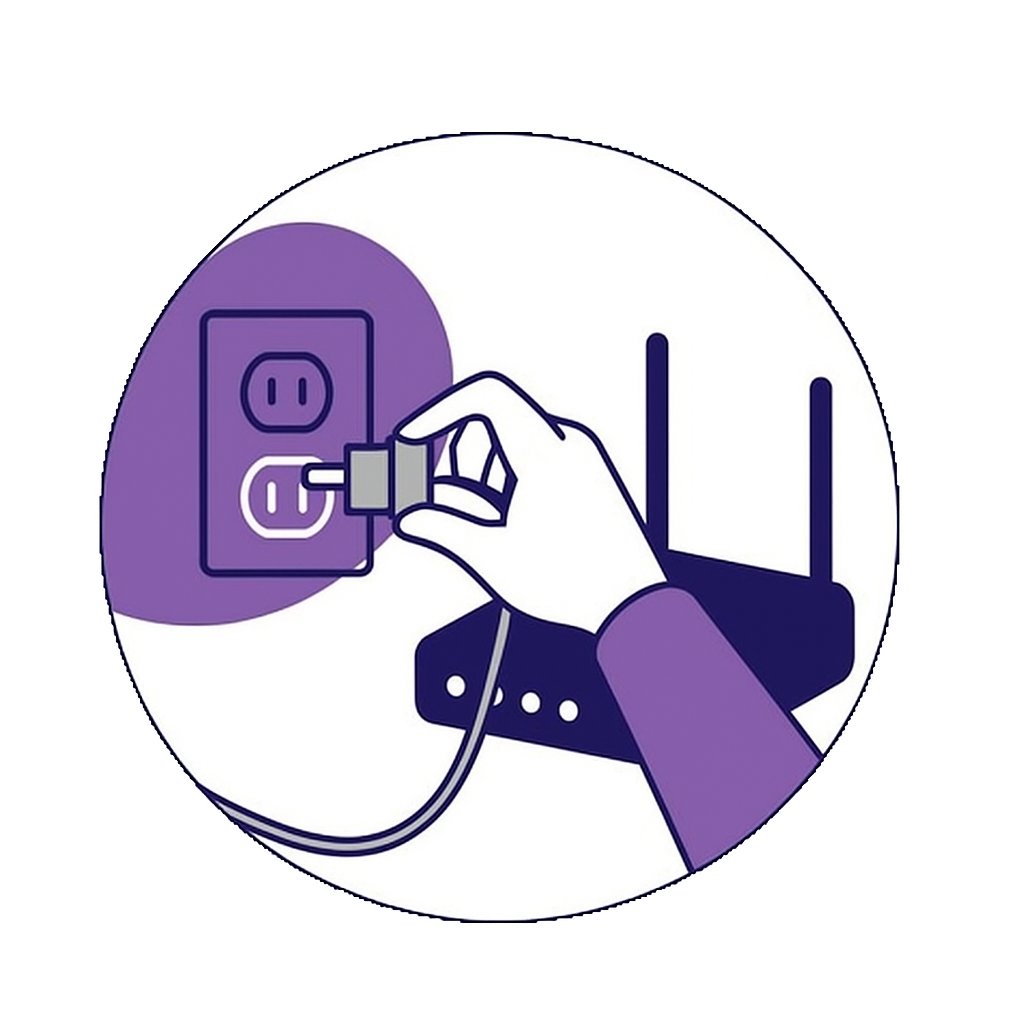
Router and modem restart order
Roku’s Wi-Fi article uses this still for the router and modem, or a single gateway, restart. It does not show the Roku player itself.
Unplug both boxes, or the combined gateway, wait 10 seconds, then restore power before retrying the Roku connection.
Model scope
Home networks with a separate modem and router or a single ISP gateway, as drawn in the cited Roku Wi-Fi article.
Step 5
Finish the remaining checks
Fix Poor or Fair signal before resetting
Open Settings > Network > About and read Signal strength. If it says Poor or Fair, move the Roku and router closer and out of cabinets. Keep a Streaming Stick from sitting directly behind the TV; Roku offers an HDMI extender for this placement. Run Check connection again after moving it.
Placement is the relevant change when Roku reports a weak signal. A network reset does not make that signal stronger.
Try the other band, then reset the saved connection
If the router shows separate 2.4 GHz and 5 GHz names, try the other one. If 5 GHz is missing, some Roku models cannot use DFS channels 50–64 or 100–144; the network owner can try 36–48 or 149–165. If the Roku still fails, open Settings > Advanced system settings > Network connection reset > Reset connection, then join Wi-Fi again. Factory reset comes only after this and erases settings and app setup.
Roku places the band check and saved-network reset after password, restart, and signal checks.
Read the result
What your result means
The player is not associated with the local network.
The player reached the router but not the internet, which differs from a failed Wi-Fi join.
Some Roku models cannot see those Dynamic Frequency Selection channels.
Unstable power can interrupt the player and is not fixed by changing Wi-Fi settings.
Scope and limits
Before you apply this advice
This covers: Roku streaming players and Roku TV systems in the United States that cannot join Wi-Fi, show a red X after the password, or lose internet in apps. The same English Roku Support Canada Wi-Fi, connection-test, and improve-Wi-Fi articles apply in Canada.
This does not cover: Roku Smart Home cameras, doorbells, plugs, or lights, enterprise captive-portal networks, United Kingdom or European Union router regulations, other-region DFS channel plans, warranty, prices, or availability the cited United States and Canada articles do not support.
- Do not factory-reset while other devices on the same network also have no internet.
- Do not keep retrying 5 GHz if the network uses DFS channels 50–64 or 100–144 on a Roku that cannot see that band.
- Do not use a TV USB port as the power source when a low-power message or random restart is present; plug into a wall outlet.
- Contact the ISP or Roku Support when a hotspot or another TV’s network works and the home network still fails after network-connection reset.
Sources
Where the facts come from
- 01Roku SupportWhy won't my Roku streaming device connect to Wi-Fi?
United States password and other-device checks, Settings > System > Power > System Restart or 10-second unplug, 10-second router/modem/gateway restart, and the error-code table. Independently re-opened 2026-09-12; page lists a 5/26/2026 6:47:51 PM update.
- 02Roku Support CanadaWhy won't my Roku streaming device connect to Wi-Fi?
Canadian counterpart with the same restart times and error-code table. Independently re-opened 2026-09-12; page lists a 3/27/2026 1:32:25 PM update.
- 03Roku SupportHow to check the connection on your Roku streaming device
Settings > Network > Check connection, red-X wireless failure versus internet failure, and Settings > Network > About signal labels. Independently re-opened 2026-09-12; page lists a 6/19/2026 6:54:15 PM update.
- 04Roku Support CanadaHow to check the connection on your Roku streaming device
Canadian counterpart for the connection test, red-X result, and signal labels. Independently re-opened 2026-09-12; page lists a 6/3/2026 1:10:04 PM update.
- 05Roku SupportHow to improve the Wi-Fi or wireless internet connection to your Roku streaming device
Poor/Fair placement, HDMI extender for a stick behind the TV, network-connection reset path, 5 GHz DFS channel limits 50–64 and 100–144 with 36–48 or 149–165 alternatives, wall-outlet power, and factory reset as last resort. Independently re-opened 2026-09-12; page lists a 6/19/2026 7:20:32 PM update.
- 06Roku Support CanadaHow to improve the Wi-Fi or wireless internet connection to your Roku streaming device
Canadian counterpart for Poor/Fair placement, HDMI extender, DFS channel limits, network-connection reset, and factory reset last. Independently re-opened 2026-09-12; page lists a 2/13/2026 4:58:29 AM update.